"Element" app is available in 2 different versions in App Lounge
- /e/ version:
- Device model(s):
- Device rooted: yes/no
## Summary
The "Element" app seems to be available in 2 versions (PlayStore + F-Droid version) in App Lounge.
Still, I was not able to get both version being displayed in the same search query.
## The problem
**Steps to reproduce**
The following test has been made on 18/5/2022 13:00
- Install Element from F-Droid
- Search for Element in App Lounge. The first search result is Element. The app appears as installed (v1.4.14 from May 6)
- Search for Threema in App Lounge. The ninth search result is Element. The app appears show up as updatable (but the update fails). Version 1.4.14 40104140) from 2022-05-15
The first app has an App Lounge rating, the second one hasn't.
**What is the expected correct behaviour?**
App Lounge is displaying/distributing only a single version of the "Element" app.
Ideally App Lounge is doing the same for all other apps that are distributed via both channels - PlayStore and the F-Droid repository.
**Relevant screenshots**
<details><summary>screenshots</summary>


</details>
## Solution
* at first, merge the FDroid and Play Store result (as today), and show open source results at top
* for all remaining non-open source app, confirm against FDroid is open source or not
* use `https://f-droid.org/fr/packages/<package name>/`
* 200: the app is open source
* 404: the app is not open source
* if it's an open source application, we display the open source version (using clean apk API) **even if displaying the open source app is unselected in the Settings**
* we compute the X first result before displaying anything, in order to let the user feel there are some results
* it lazily loads the remaining results, checking in background and showing the application
* the open source applications detected with this process will not being shown at top, but in the list itself
* the X should be chosen to give a feeling that everything is loading quite fast, so it displays first results in less than a second. Based on a FDroid answer \~200ms, we can set X=4 by default
When any `open source` app is displayed even though open source is unselected in the settings, then an information tooltip is displayed on the app description page. It says `Why am I seeing the Open Source version?`. When the user taps on it, a pop-up opens saying `Even if this application is also available in a proprietary version, App Lounge shows the Open Source version only, in order to avoid duplicates.`. It can be closed by tapping on `OK` at the bottom right of it or by pressing the back button.

https://www.figma.com/file/GwR6qGc147EjyVErIYHiBn/02-AppLounge-%F0%9F%94%A8?node-id=1713%3A9363&t=RKTpUXKAmCeqhSlO-4
### Examples
<details>
<summary>Example 1: threema</summary>
| | screenshot |
|--|------------|
| The user search `threema` | 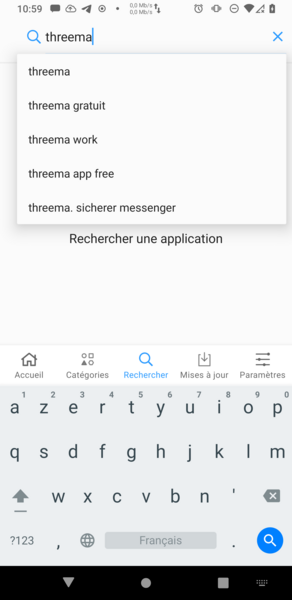 |
| App Lounge merges FDroid and Play Store results, and displays Open source application at top. Here, no open source application returned by FDroid | 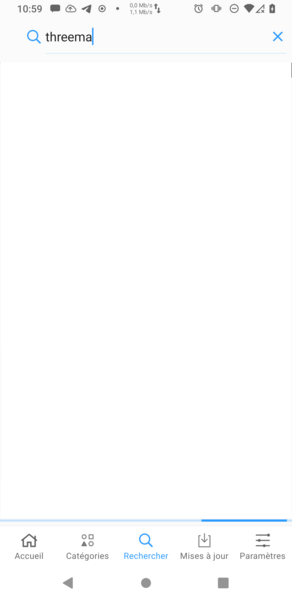 |
| App Lounge check the 4 first Play store results, and display them. Here, none of those applications is open source | 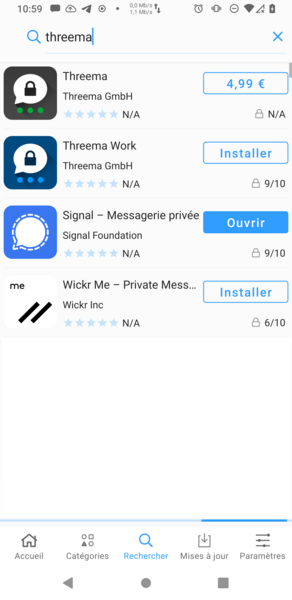 |
| It loads lazily all other results, displaying the open source version when it exists. It is the case for Element, so it marks it as open source | 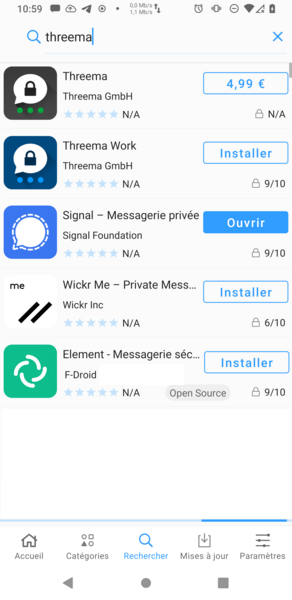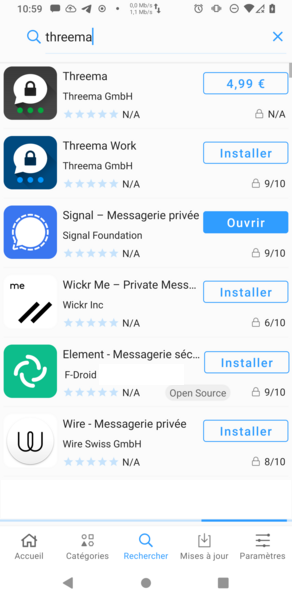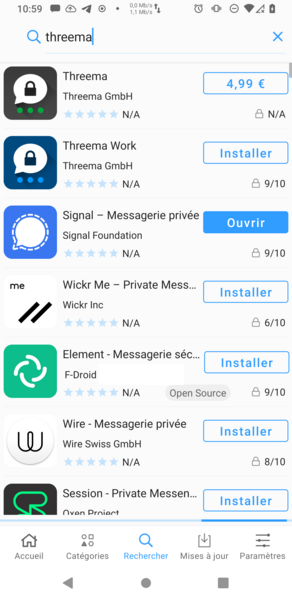 |
</details>
<details>
<summary>Example 2: three</summary>
| | screenshot |
|--|------------|
| The user search `three` | 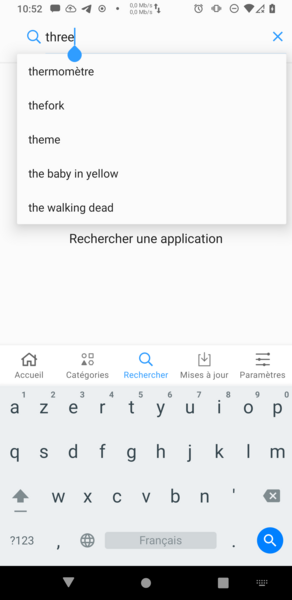 |
| App Lounge merges FDroid and Play Store results, and displays Open source application at top | 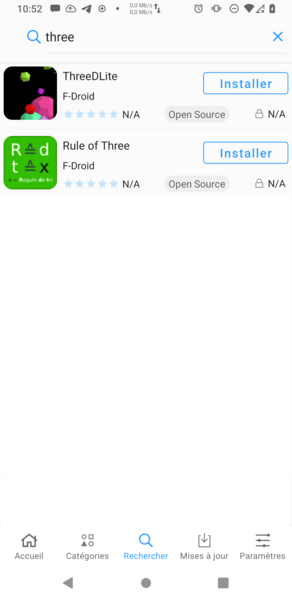 |
| App Lounge check the 4 first Play store results, and display them. Here, none of those applications is open source | 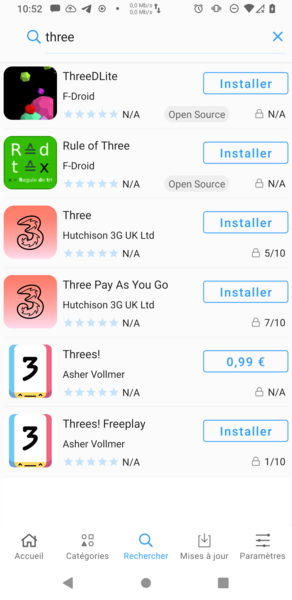 |
| It loads lazily all other results, displaying the open source version when it exists | 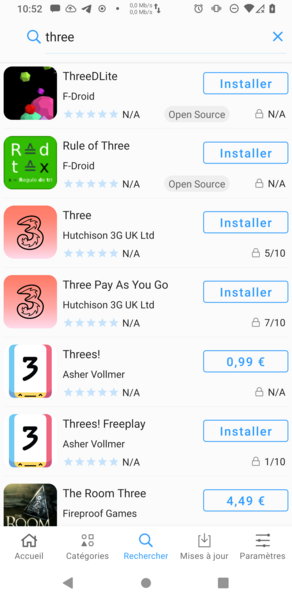 |
</details>
### Corner cases
1. the user untick `Show open source apps` in App Lounge settings: it should not affect this behavior. If the user do not display open source applications, open source applications available on the Play store should not appear.
1. FDroid unavailability: :question: TO BE DEFINED
issue